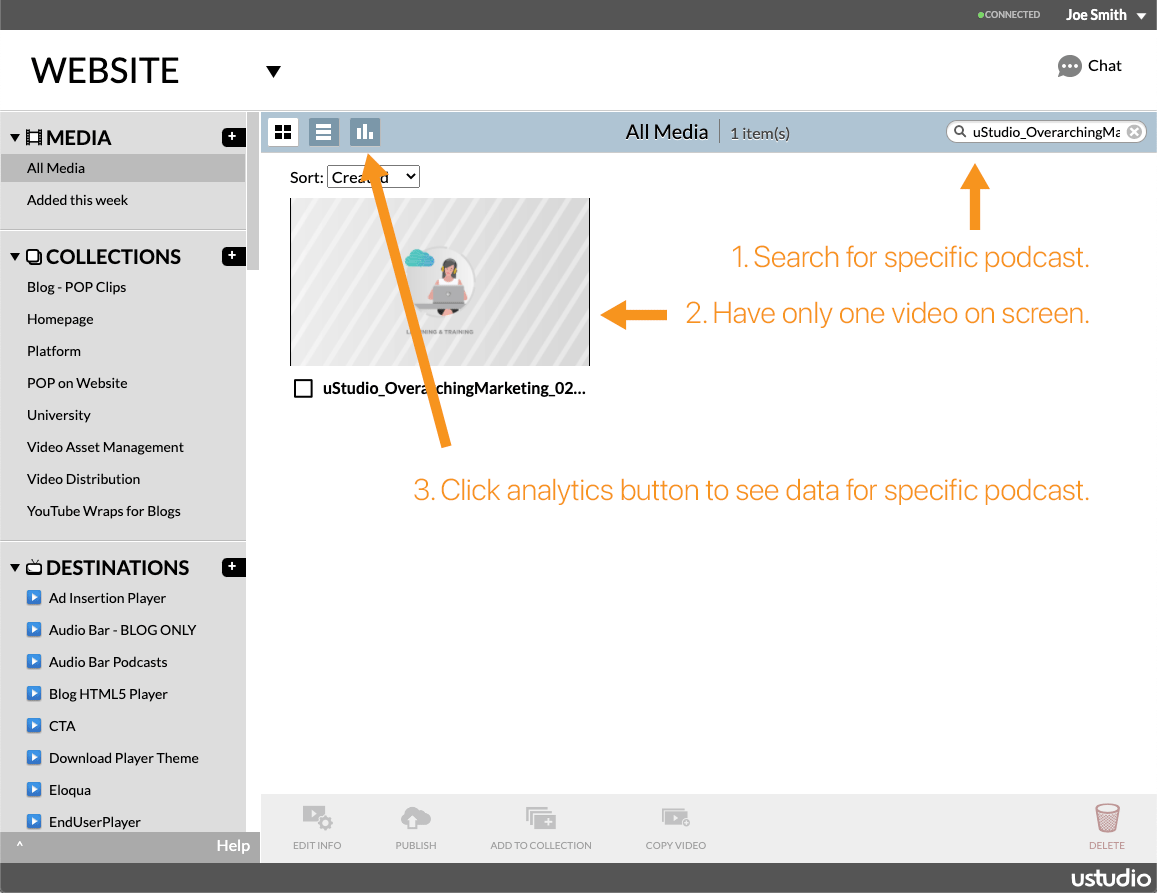
Here's how to drill down into the metrics for just one video in uStudio's video platform Hub.
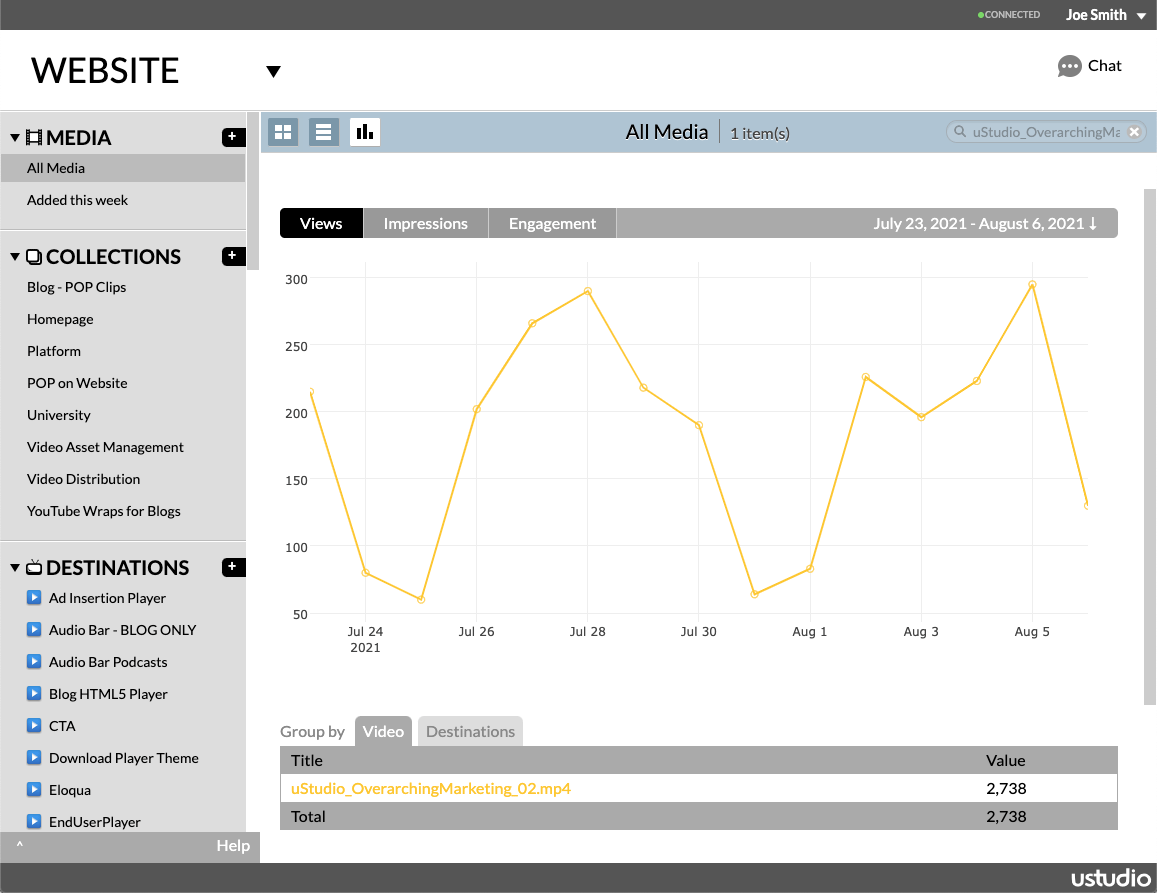
To view analytics for just one video at a time, go to the All Media gallery view under the Media tab and search for the video - for instance using a word from its title - in the top right search field, underneath the chat icon. Once that video's thumbnail is the only one on the screen, click the stats icon (the 3rd icon at the top, with the 3 little vertical bars). The stats displayed will ONLY be for the video returned in your search, and you can adjust the timeframe as usual.